Marketing360
A full-suite platform for managing, growing, and marketing a business at any scale
To put it bluntly — Marketing 360 is a beast, and a beast to inherit the processes of. An enterprise scale piece of software containing apps including full social campaign tools, Google keyword integration, a robust CRM, brand tools, a rapid deployment WYSIWYG website builder, insights and analytics, payments and invoicing, and dedicated point of sale for any size business.
This heft of tools created unique challenges to meet the needs of different users and user groups as well as how to control operations from an internal point of view. Creating a harmony between Rep led large-scale partners and a la carte SAAS driven client base became a UX practice all in its own. Blending the lines between where the mobile experience ended and the streamlined standalone mobile app began also became quite a task.
User groups and designing for multiple facets
Instead of a narrowed focus on just a singular marketing driven user group, Marketing 360's approach spanned across 3 main user groups:




- Client Representatives & MSMs
At its core, Marketing 360 is a tool used by its parent company — a full service marketing agency that handles customers and their projects with a white glove approach. Many of these customers have pretty minimal interaction with the platform, outside of checking insights and intelligence reports on the growth of their business. Because of this silo'd nature, part of my challenge leading up the CORE team was to consider and leverage the use of the software by internal team members to do their daily work. Much of their non-design tasks or rep led initiatives were performed using our suite of in-house tools:
- Back office tools for administrative and larger scale agency control tasks
- Social and campaign tools within the platform
- Custom-tailored dashboards for each user
- Agency Owners & White Label Clients
Using a separate suite and agency control variation of Marketing 360 — it allowed other agencies and marketing firms to operate within the software the same way our rep teams did: as a full scale marketing tool. With these white-label tools, these agencies carried out and deployed campaigns as if the tool was built for their team. This created some variance in UX approach and mapping of tools to these customers needs.
- Product Facing Users
Using a SAAS funnel and marketing approach, standard users could freely control and manage their own campaigns and Marketing 360's tools to handle all of the marketing, social and brand needs for their small-to-large size businesses — with tailored pricing to meet their needs.
Core Ownership & My Role
Marketing 360's team and ownership, while led by the same stakeholders was overall silo'd and track driven. My role as a senior owner of CORE, meant a handful of things.
- Tools and Corners of Marketing 360 within my design ownership:
- All customer and rep facing dashboards
- Platform wide navigation
- Platform wide AI tool integration
- Dedicated brand tools (Brand Profile)
- Settings Panels and User tools
- Initial Software onboarding
- Back office tools for reps and agencies
- Payments processes and invoicing
- Point-of-sale
- Conceptual stakeholder driven initiatives and future vision
- Deploying and Goaltending the platforms design system
- Cross-stream collaboration and oversight of designers in other tracks in the name of design system guidelines and platform unity.
Design Process for Marketing 360
Due to the nature of the user groups driving interaction within Marketing 360 — our design processes were typically two headed in their nature.
Sometimes an Operations Team driven initiative called for immediate internal rep needs or QOL updates:

And sometimes initiatives followed a more traditional approach:
Areas of Design
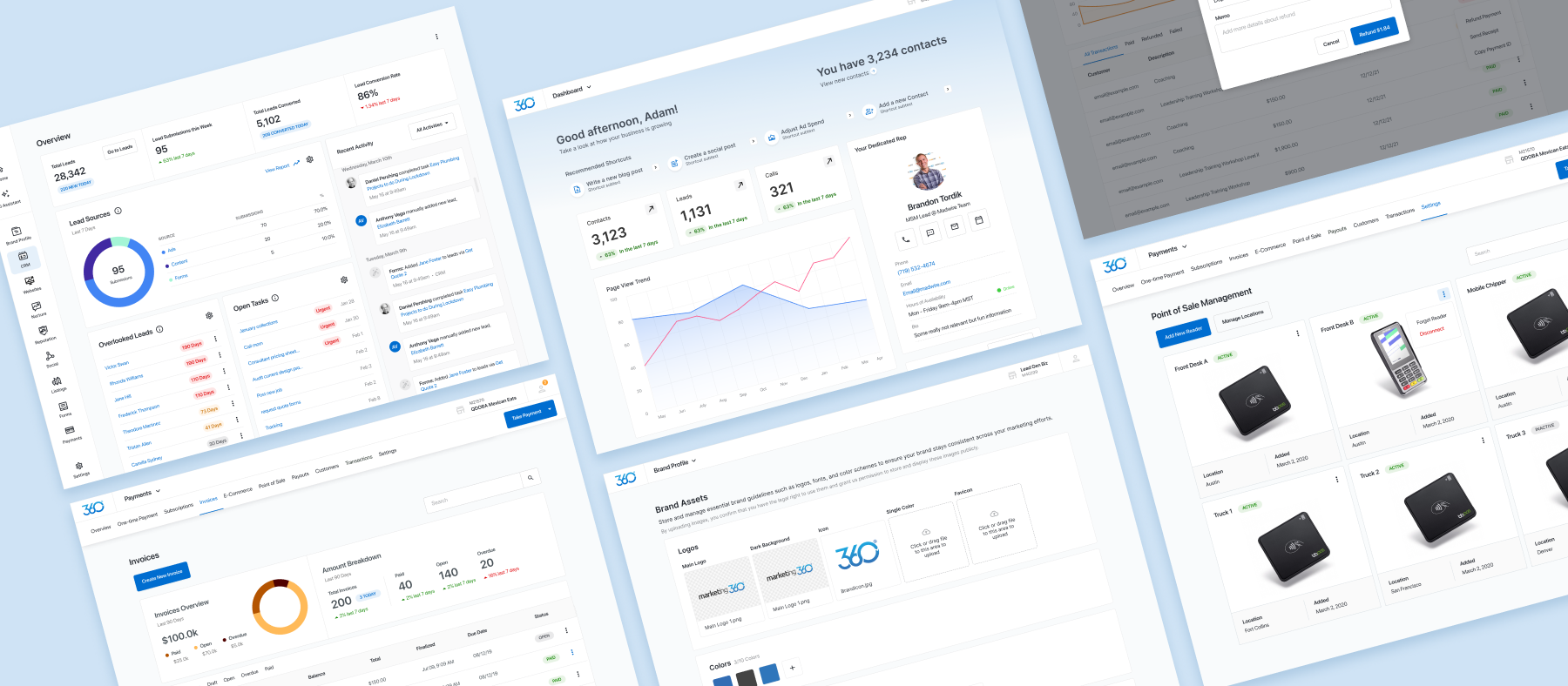
Dashboard & Navigation Evolution
During my time at Marketing 360 the central dashboard saw quite a handful of deployed iterations (and tons more conceptual driven versions that only deployed to my archive folder)
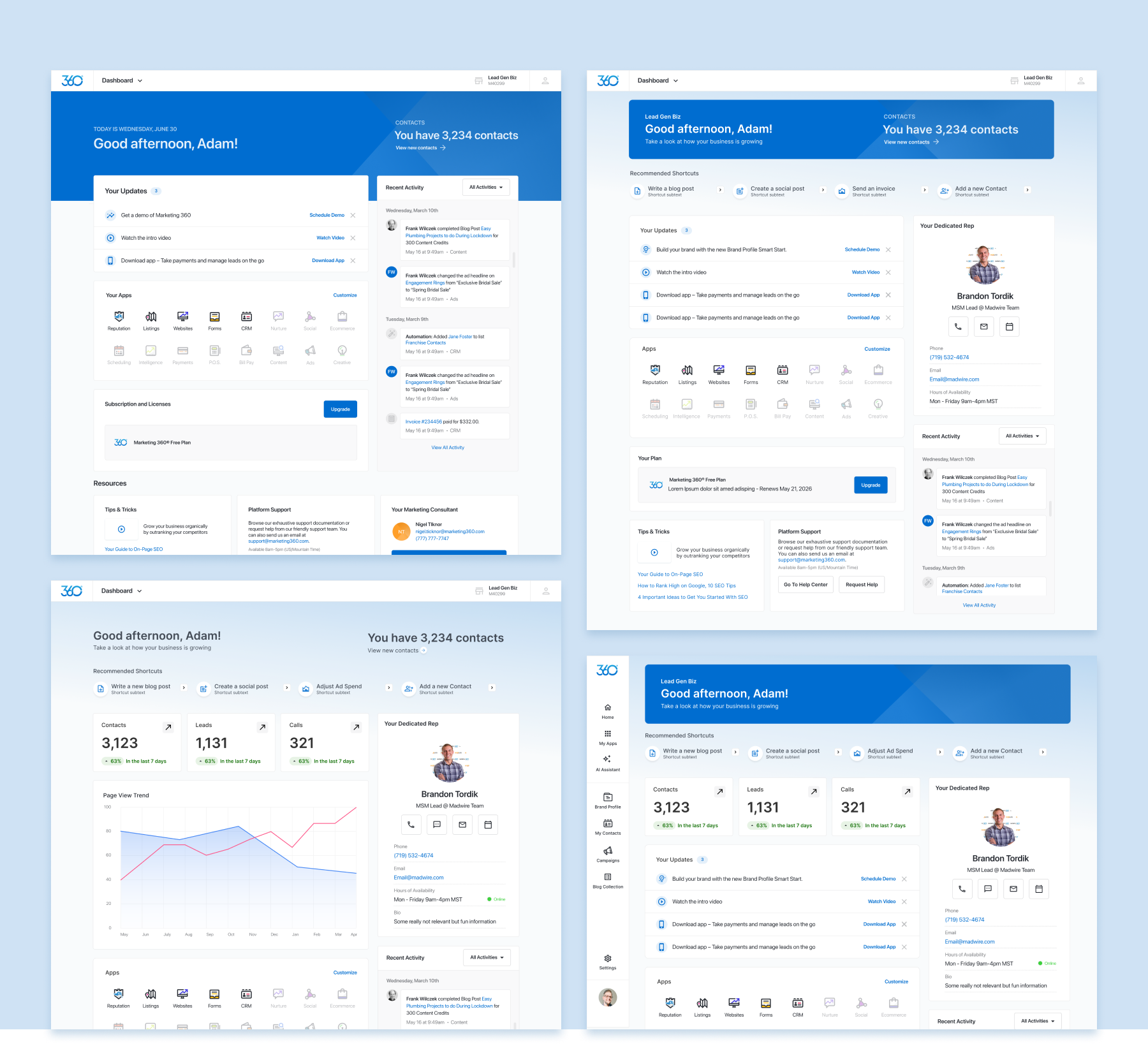
Being the first landing zone within the platform meant that our CORE dashboard was the heat map hotspot and potential bounce-capital of our software, so leveraging insight driven adjustments from both SAAS users and internal reps was a constant high priority of the core track and its stakeholders.
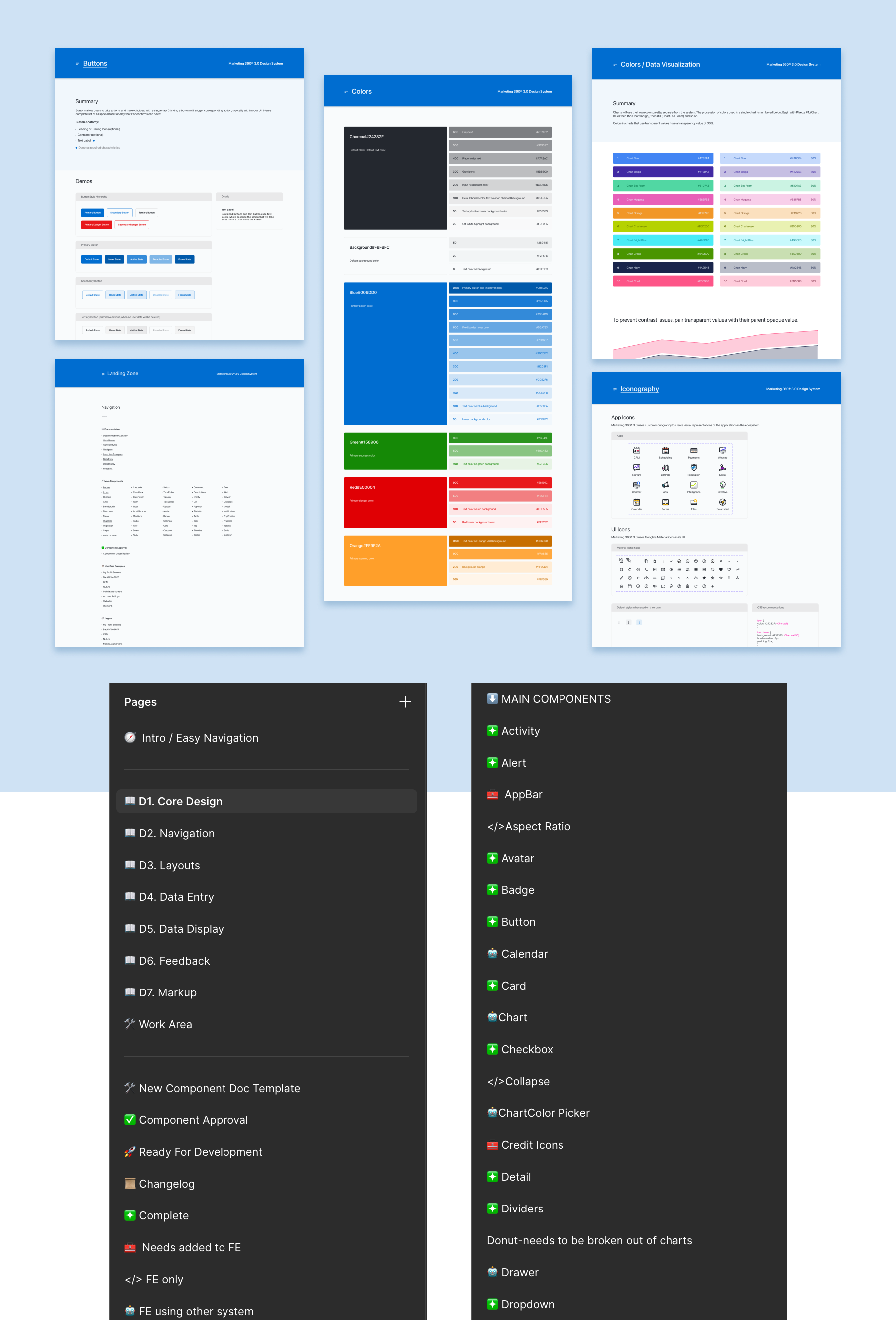
The Design System
From the ashes of a cobbled together ANT design implementation, a rethought M360 design system was my first and number one initiative at Marketing 360. With a version controlled front-end and constant track-wide product designer review and upkeep: the design system and its rules were the visual skeleton and source of truth for the entire set of apps within Marketing360.
AI Assistant & Tool Integration
Integrating generative AI tools within Marketing 360 that touched every piece of the platform and boasted improved ways for users to interact with the tools. It was our goal to add these to the processes our clients and reps were used to, without it feeling like a shoehorn or in turn impeding on UX processes that felt second nature to them.
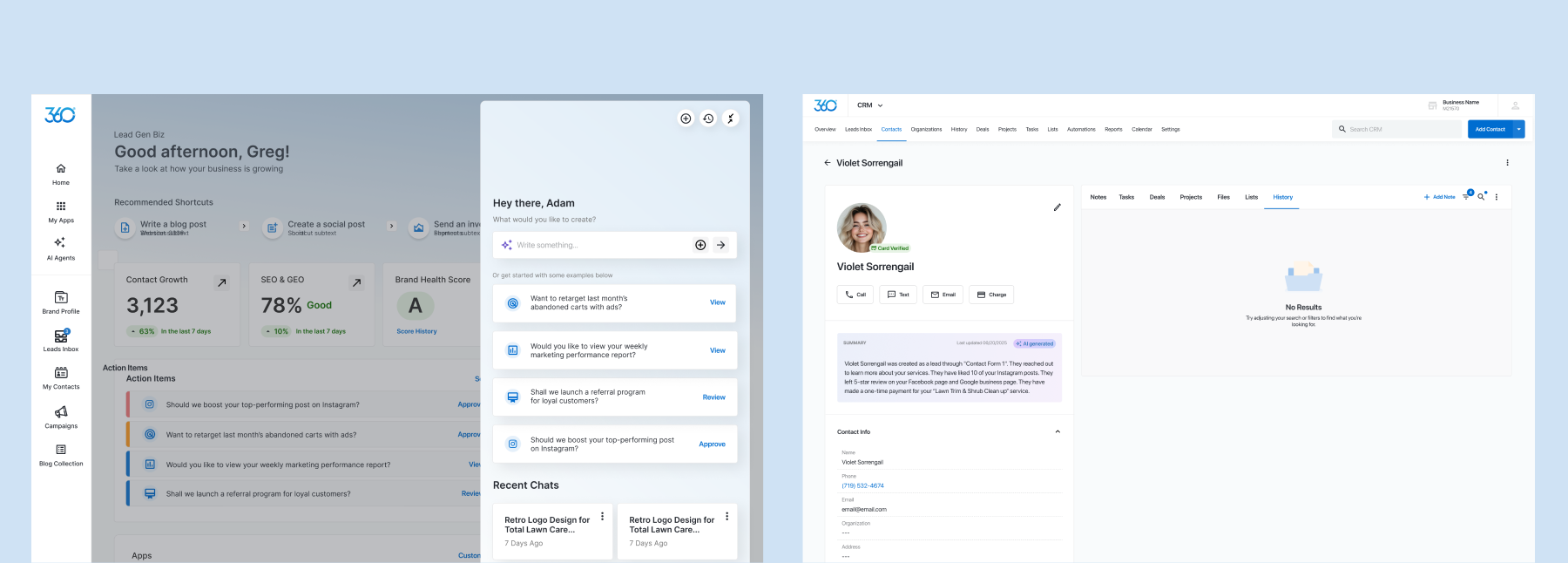
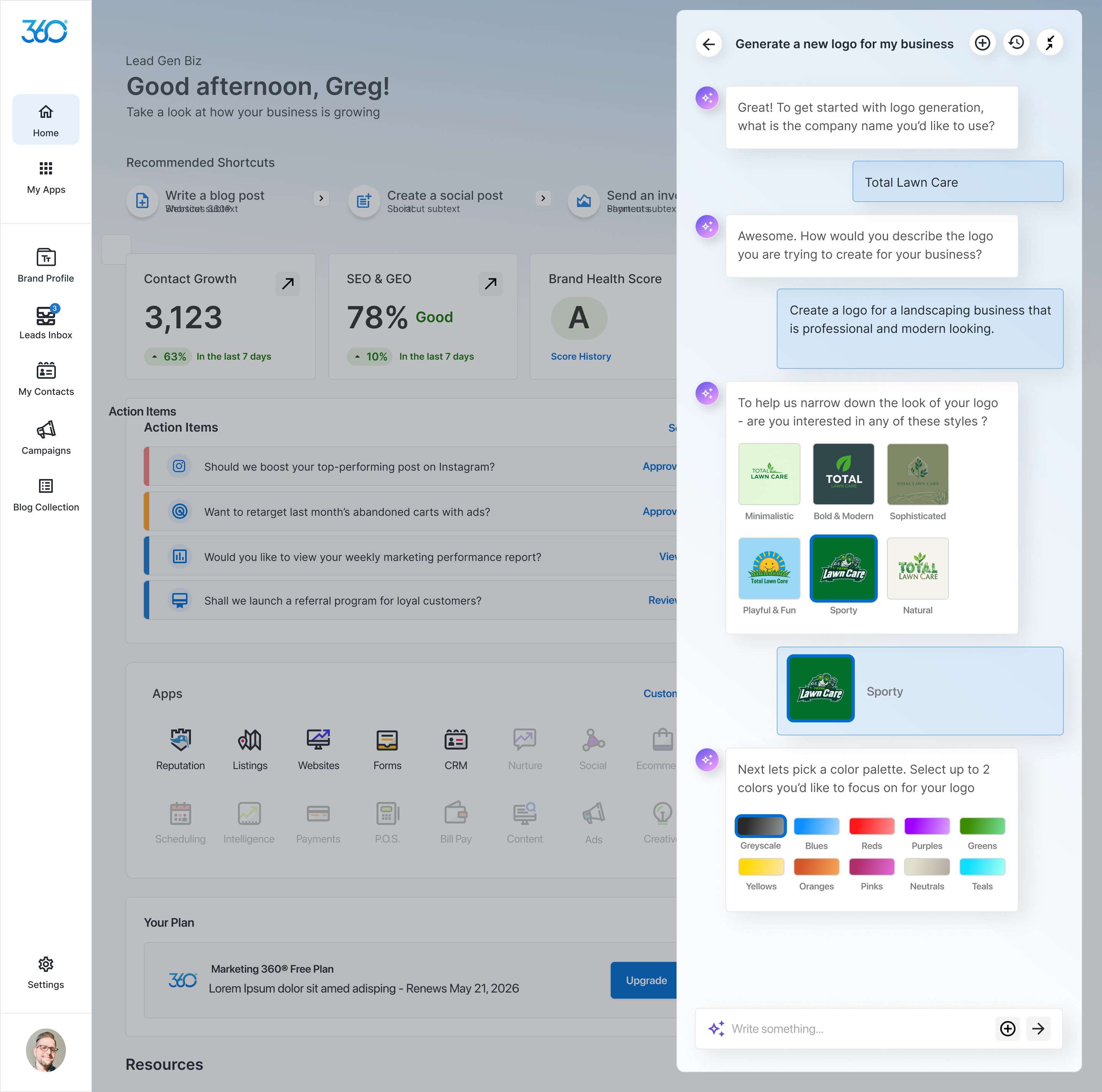
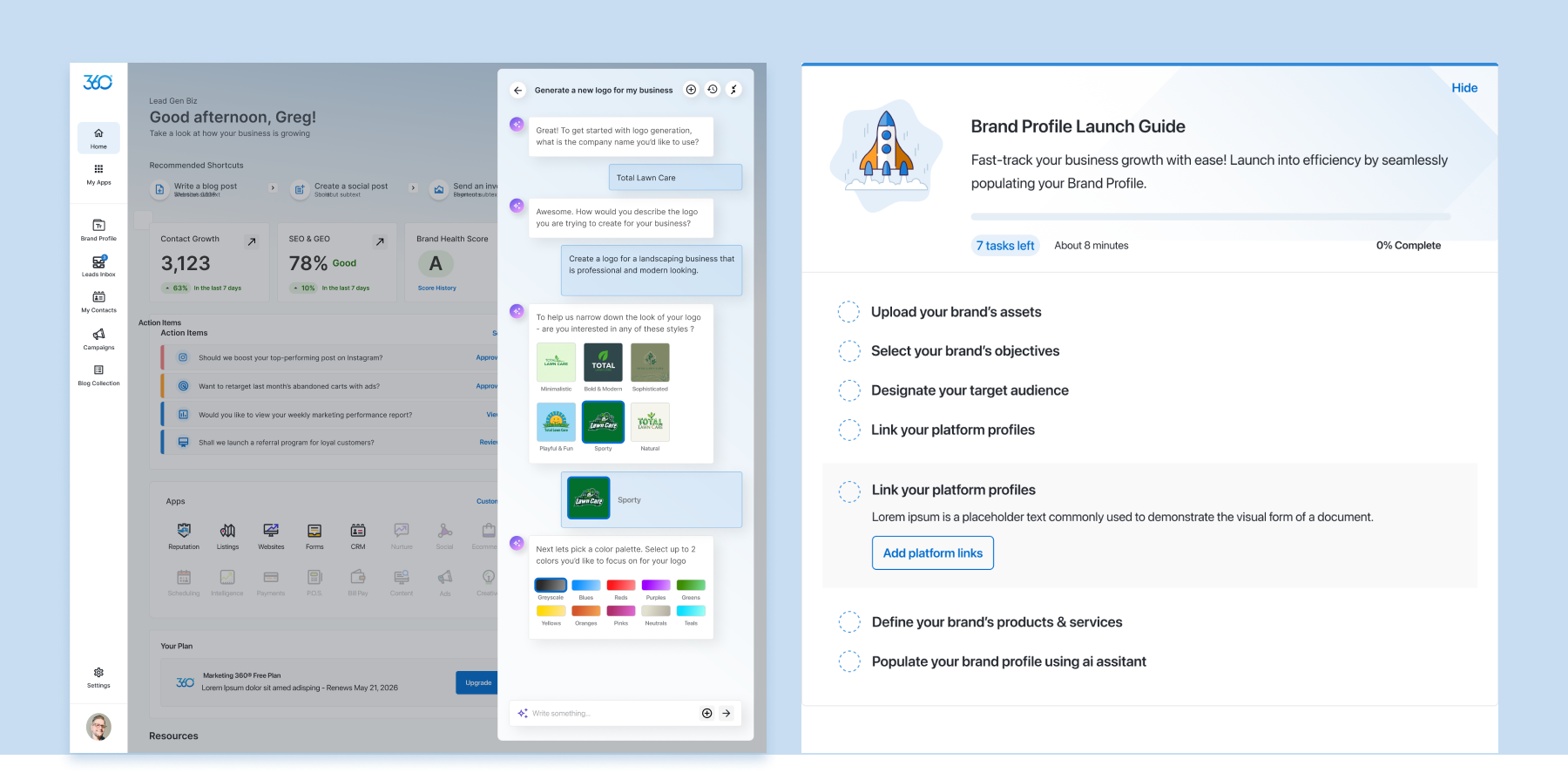
Image Gen within Brand Profile, Websites & Onboarding
Designed both to be engaged with conversationally and to live as a pattern wherever asset uploading occurred, we connected users with leading AI models to rapidly generate assets such as logos, blog images and other visual assets for their campaigns.
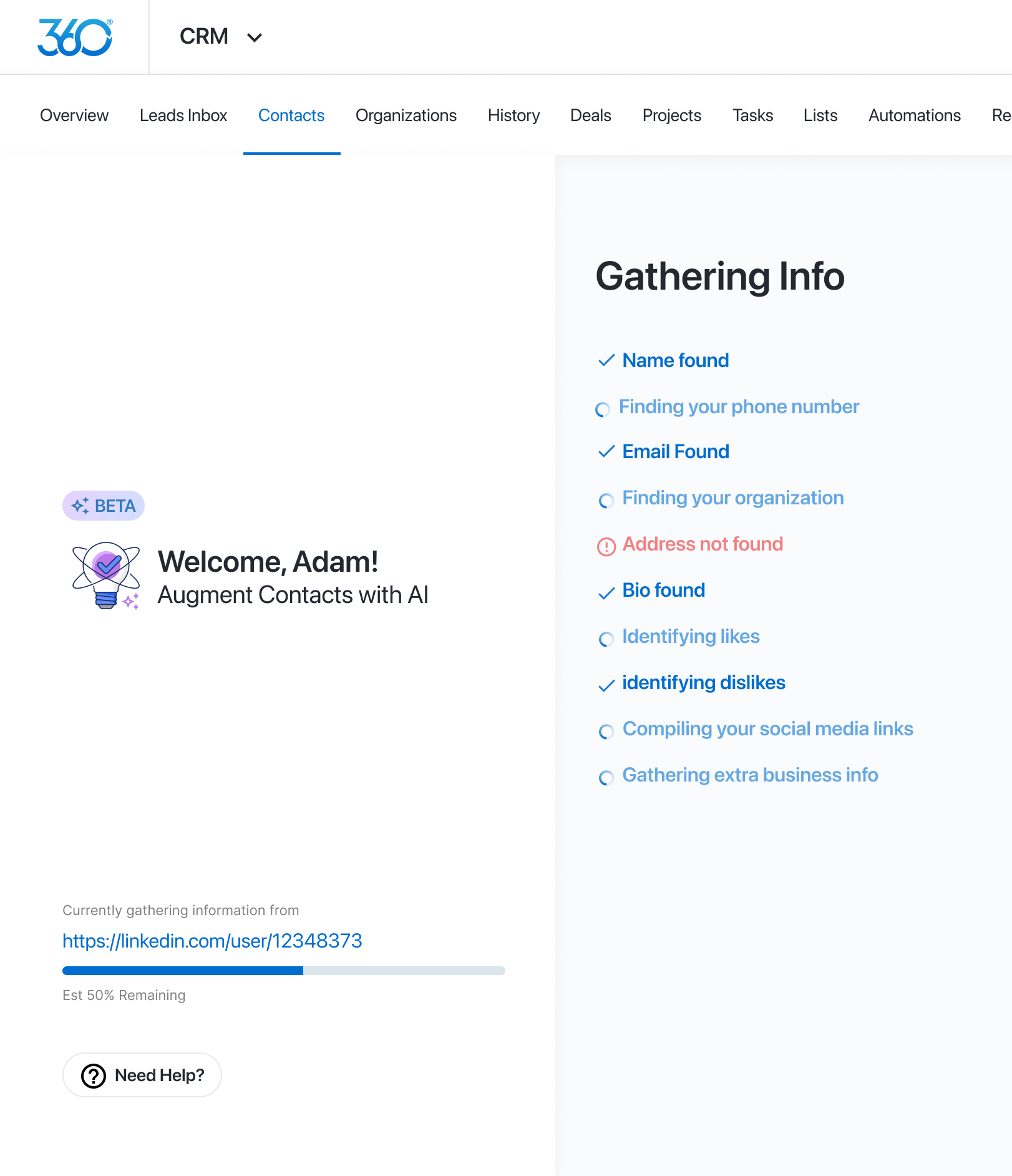
Onboarding Scrapers & Aggregators
To ease the burden of collecting information and slogging new users down — existing scrapers and data gathering processes were designed to rapidly aggregate and input a business's information. Brand logos, existing fonts, products and services, and website meta data were all gathered as a background process while new users entered M360 for the first time.
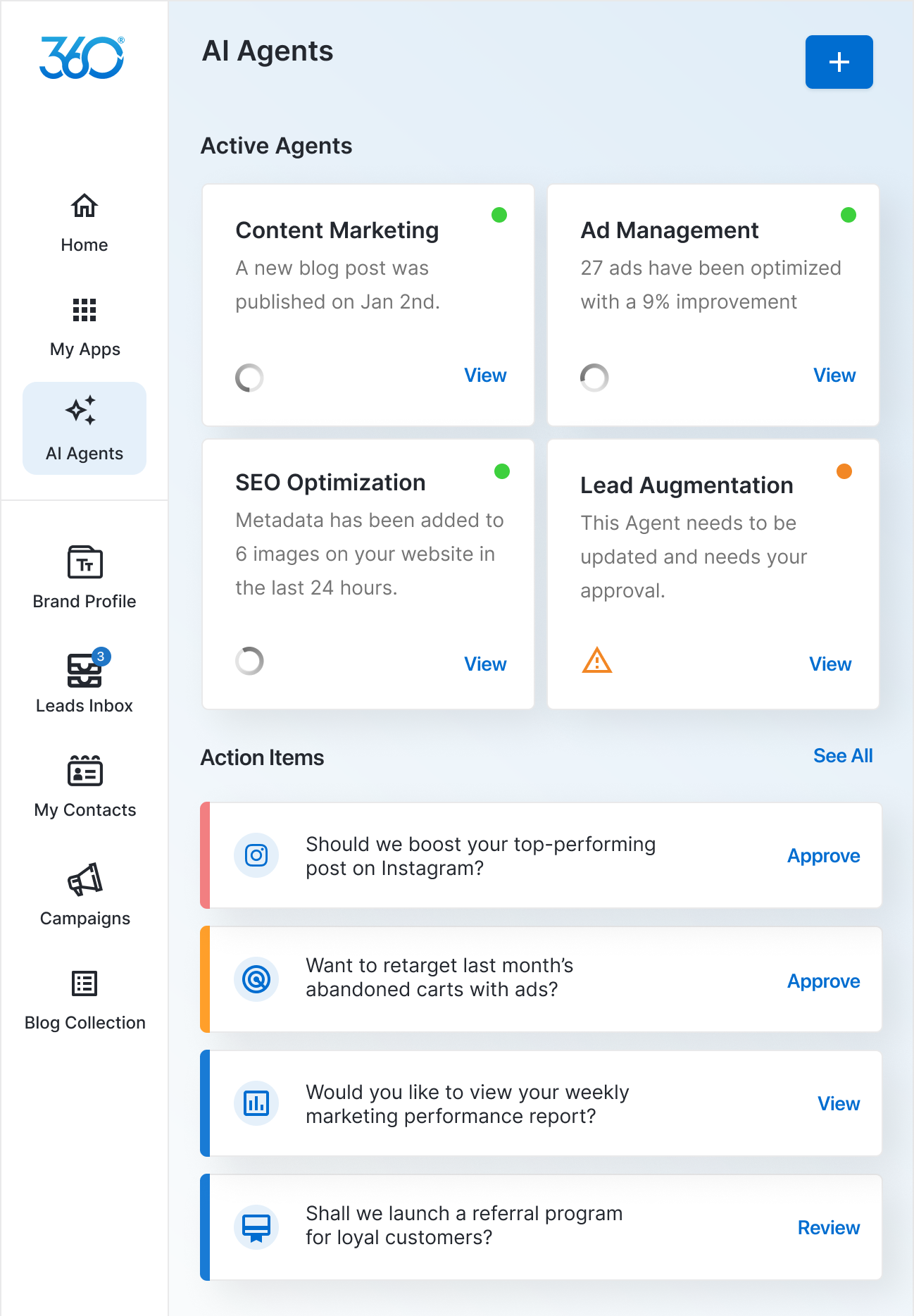
AI Agents & Assistants
The goal for an agent panel was to create both suggestions and metrics goals for businesses based on pre-selected goals during onboarding, as well as AI-driven market information relating to their area of business.
Text gen within existing fields, blogs and campaign strategies
Text generation modules were deployed throughout the platform. Anywhere there could be inputted text, it was a stakeholder goal to be able to create suggestions for users to fine-tune any copy used on their websites, social posts, and brand profiles.
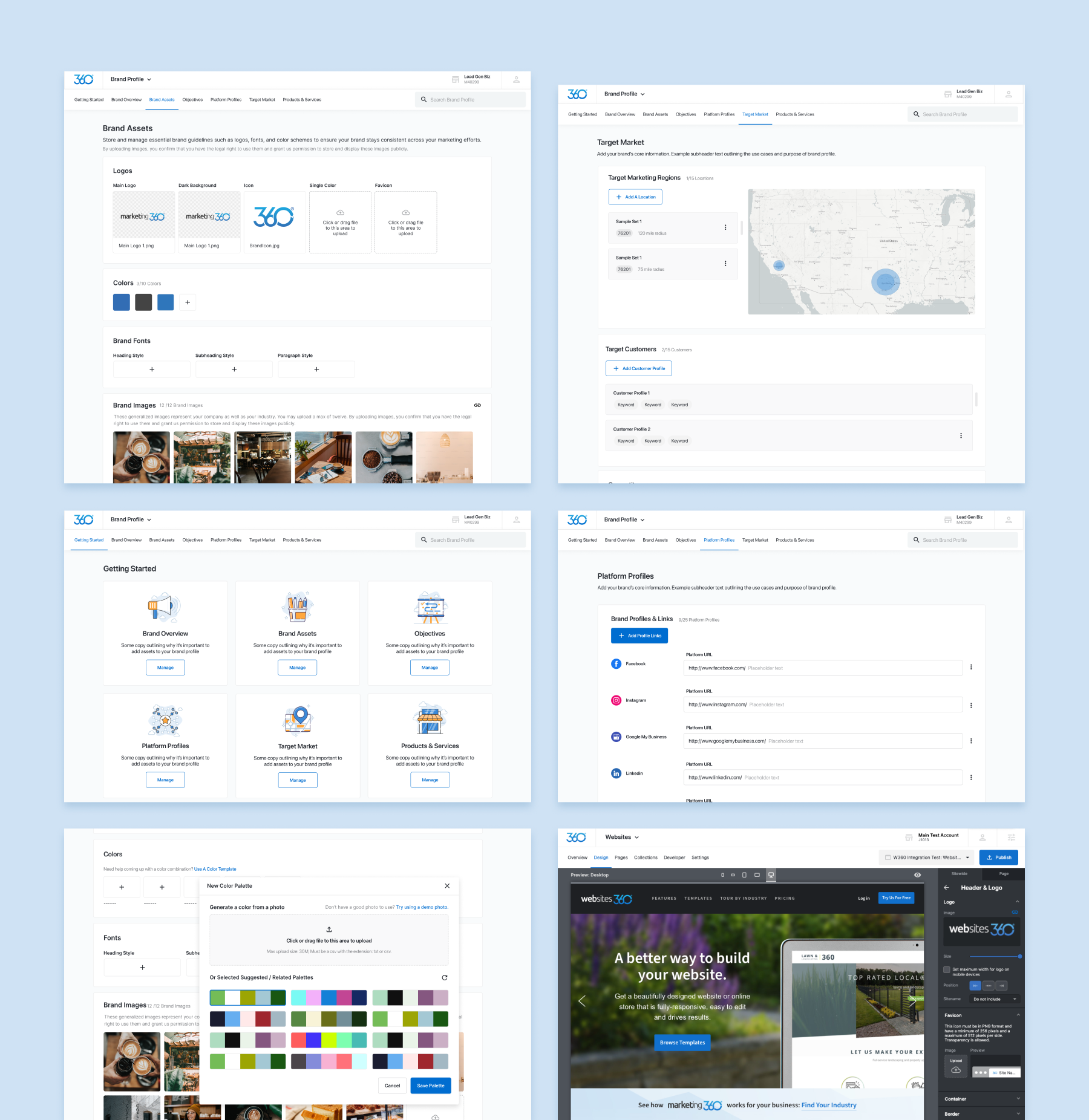
Brand Profile
An app within the platform for businesses and reps to easily stash their brand's existing guidelines, colors, imagery and business metrics. These would then be referenced across all apps and tools within the software.
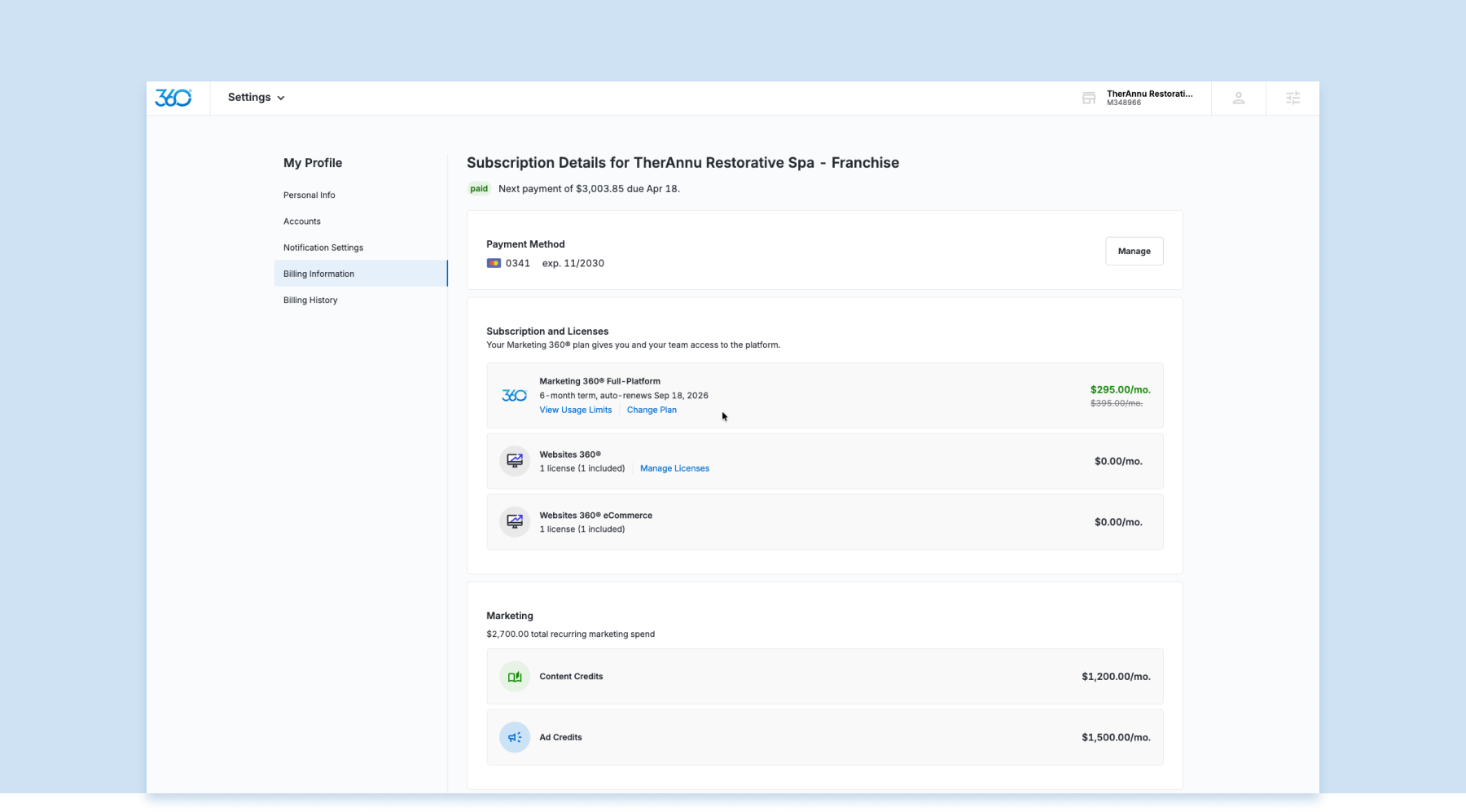
Settings & User Account Tools
Two defined areas and how they operated under the hood. Blending the needs of all user groups to be able to easily control run of the mill account needs such as passwords and contact information — all the way to Rep and Agency Users and Permissions.
Onboarding & First Touchdown
Boasting a large swathe of tools has its own caveats, and the first steps are always daunting with anything with a lot of moving parts. With most software, many times users leave before they ever really commit to your tool.
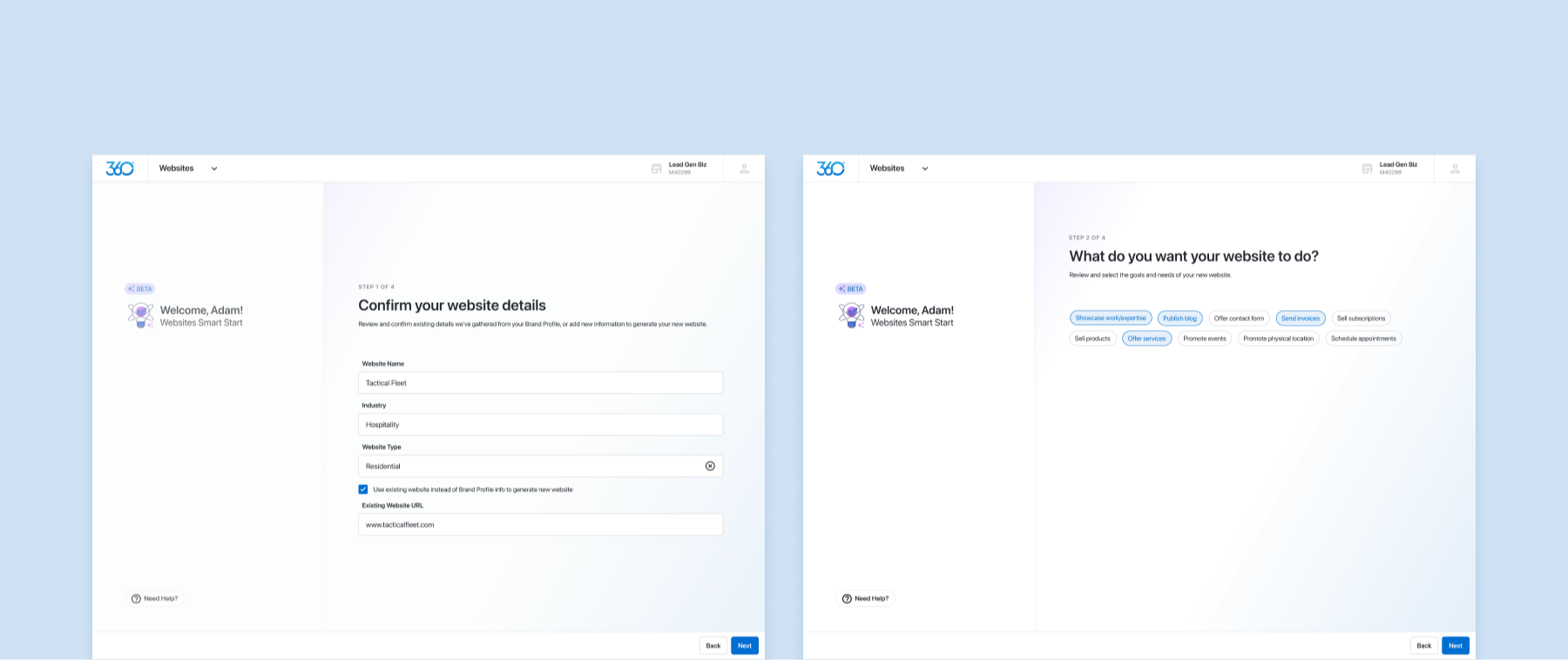
Driven largely by our SAAS user group, the main directive with our onboarding was to truncate some of our heavier pieces of data gather and educate as the user got settled in with their new account.
Backoffice Tools
If M360 was a supercar — then the back office tools were the engine block. Meshed the primary source of company revenue, this was an area solely for the use of reps, white label partners and super admins to keep their domain in check. Many of these panels and modules controlled what both rep-driven clients and SAAS users would see on their end of the software as well as where much of the internal business's daily workflows ran thru.
** Screens not included for legal reasons
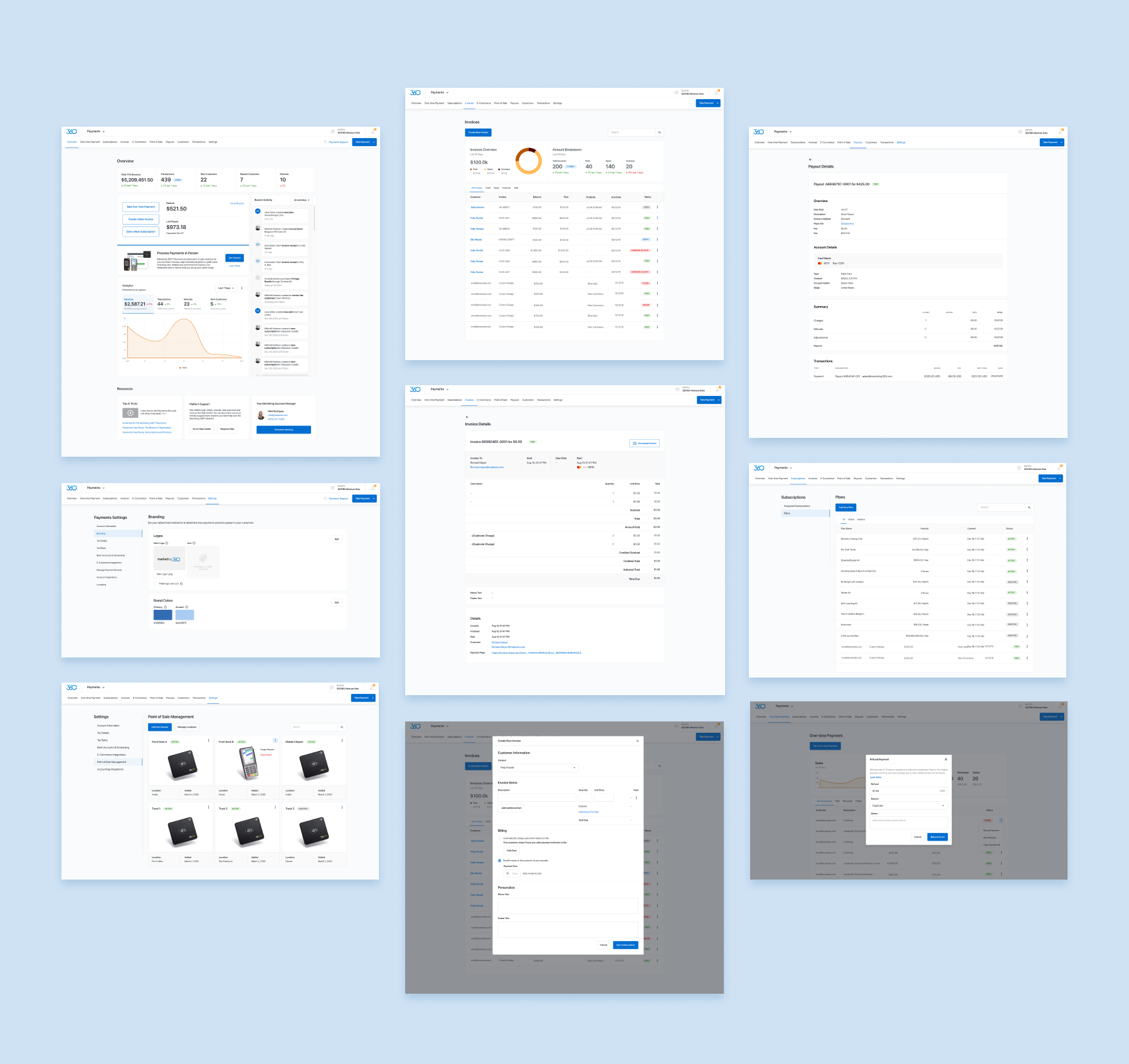
Payments Processing & Invoicing
Touching almost every part of the platform, our payment processing patterns existed to both be utilized by agencies to invoice their white-label clients, customers to manage subscriptions and credit allocation, and for users to pay and get paid.
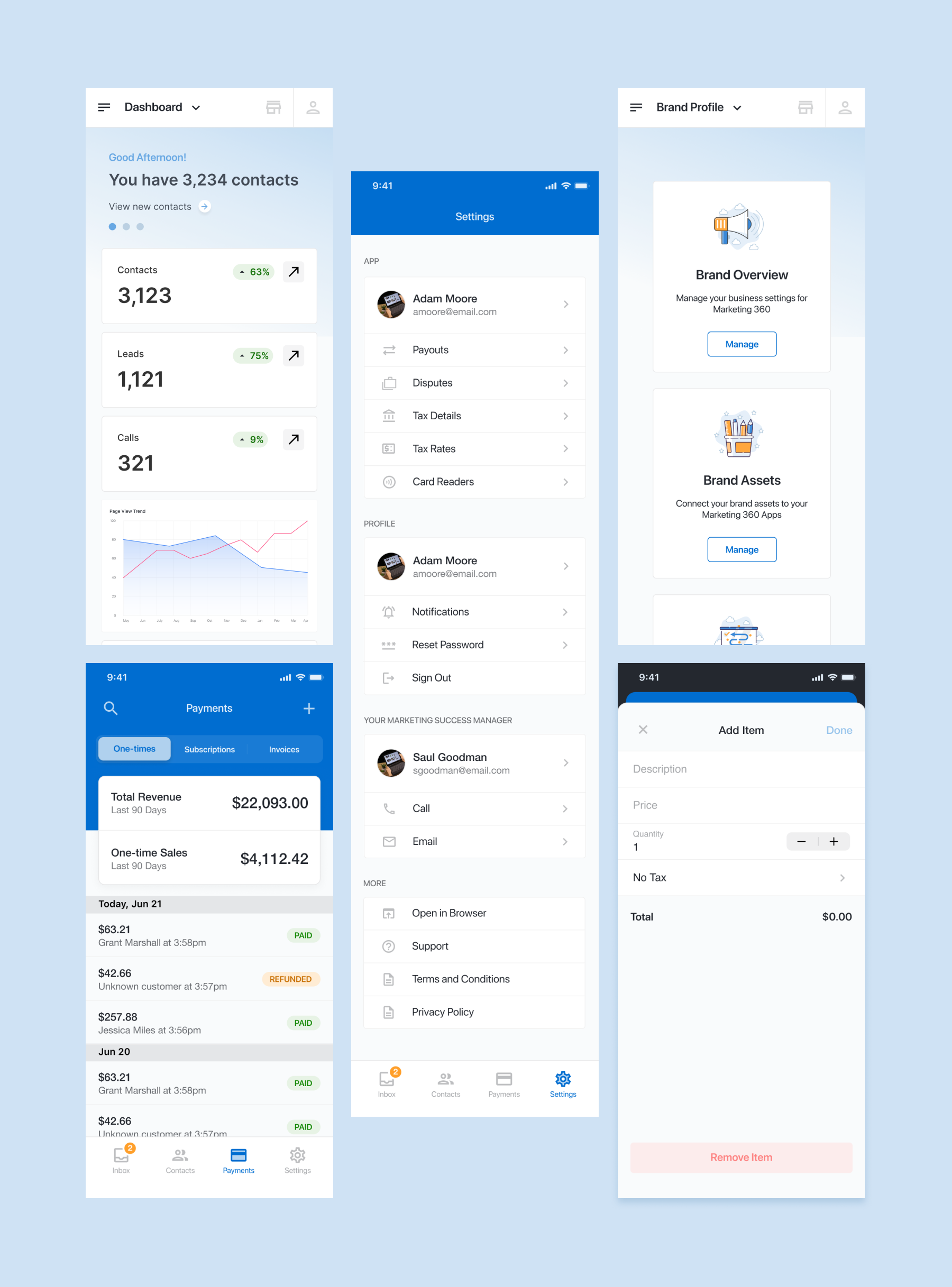
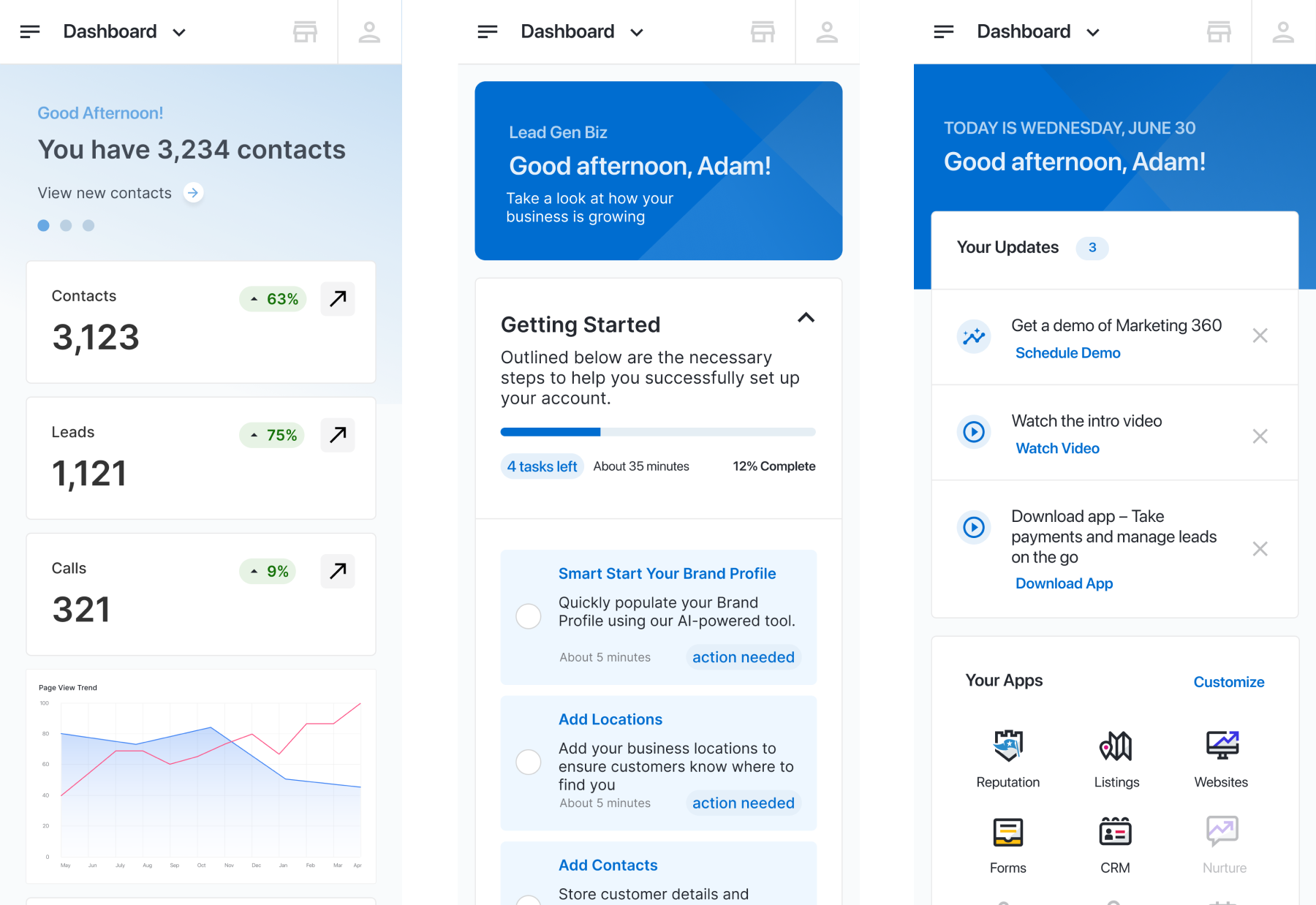
The Mobile Experience
Marketing 360's mobile experiences were tandem — a lighter weight version of the full desktop experience via browser, and a standalone mobile app with increased functionality.